
Pulse oximeters are used for remote patient monitoring (RPM) to capture real-time blood oxygen saturation (SpO₂) and heart rate data. The FDA-cleared Tenovi RPM Pulse Oximeter (POx) offers a hassle-free experience. There are no apps or syncing necessary to use it. So it’s a hassle free experience for patients and also makes it easy for healthcare providers to monitor patients’ vital signs from home.
This article outlines how the Tenovi RPM Pulse Oximeter works and its role in managing both chronic and acute conditions remotely.
What is an RPM Pulse Oximeter?
An RPM pulse oximeter is a medical device that measures blood oxygen saturation level and heart rate. With remote pulse oximetry monitoring, physicians can identify complications early and provide prompt treatment between regularly scheduled office visits. A 2022 review published in the Lancet highlights RPM pulse oximeter use in COVID-19 patients, noting it can help pinpoint signs of condition deterioration.
An RPM pulse oximeter device can help manage many health conditions, including:
- Asthma: When an asthmatic’s oxygen levels trend downward, it can indicate impending respiratory failure.
- Congestive Heart Failure: Keeps check on low oxygen saturation, which is a common symptom.
- COPD: Monitoring leads to early identification and prompt treatment, preventing symptoms from worsening.
- Lung cancer: Used to predict cardiopulmonary morbidity after lung resection in cancer patients.
- COVID-19: Shows effectiveness and safety for monitoring lung deterioration at home.
Tenovi RPM Pulse Oximeter Features
Some remote patient monitoring pulse oximeters require downloading apps or the tedious pairing of devices. Tenovi’s RPM pulse oximeter comes already paired and ready to use immediately. The RPM device offers one-step, accurate, and seamless recording.
Key features include the following.
- Measures oxygen saturation and pulse rate
- FDA-cleared, CE, and EN certified with industry-leading accuracy
- Multi-color LED
- Real-time pulse bar graph, plethysmogram, and perfusion index.
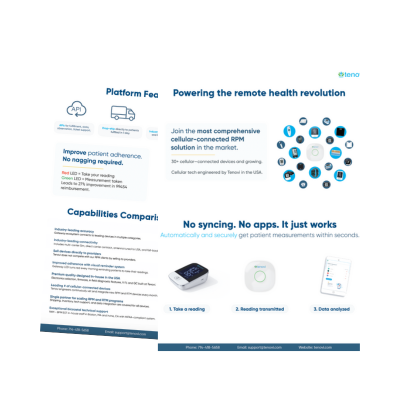
- Transmits data automatically through a cellular network with the Tenovi Cellular Gateway.
- The Gateway turns red every morning to remind the patient to take a measurement.
- The Gateway then turns green after the patient takes. measurement and the reading is transmitted.
How Does the Tenovi RPM Pulse Oximeter Work?
The Tenovi Cellular Gateway is a cellular device that transmits measurements that are taken with the Bluetooth Tenovi Pulse Oximeter to the patient’s healthcare team. The patient simply plugs in the Gateway one time to take daily pulse oximetry readings. The Gateway LED turns red every morning, reminding the patient to take their daily measurement. This serves as an added opportunity to keep a patient engaged and reminded to take their measurements. The LED ring on the Gateway turns green to confirm the measurement is successfully transmitted.
The Tenovi RPM Pulse Oximeter automatically transmits data wirelessly through the Tenovi Cloud. Through Tenovi’s advanced system integrations, physicians can view the measurements in the Tenovi RPM dashboard or any proprietary platform.
Most people have a normal pulse oximeter reading between 95% and 100%. The Tenovi RPM platform can automatically alert the clinician for quick intervention if a patient’s blood oxygen saturation level is below a set threshold.
How to Use the Tenovi POx
Tenovi RPM Pulse Oximeter enables accurate, quick, and easy remote patient monitoring.
Below are instructions for how to use the Tenovi RPM Pulse Oximeter.
- Turn on the device. Place a finger inside the slit, and wait for the reading.
- Wait until you hear a beep from the gateway.
- Take the RPM pulse oximeter off of your finger.
This quick video shows you how to set up, the proper pulse oximeter placement and how to use the Tenovi POx RPM Pulse Oximeter.
Please see the Tenovi RPM Pulse Oximeter Support Page for further assistance.
Tenovi Remote Patient Monitoring Support
Remote patient monitoring devices can provide reassurance for patients with chronic conditions. Sometimes, patients and care teams may require guidance or technical support. Therefore, Tenovi offers a HIPAA-compliant support team that helps patients, providers, and care teams with the RPM technology and troubleshooting.
Tenovi’s support associates are trained to provide clear and friendly instructions. By providing this level of support, Tenovi reduces workload, costs, and stress for healthcare providers while enhancing the patient experience.
If you want to learn more about how Tenovi can help you deliver better care with our remote patient monitoring fulfillment and APIs, please schedule a free demo and consultation today.