


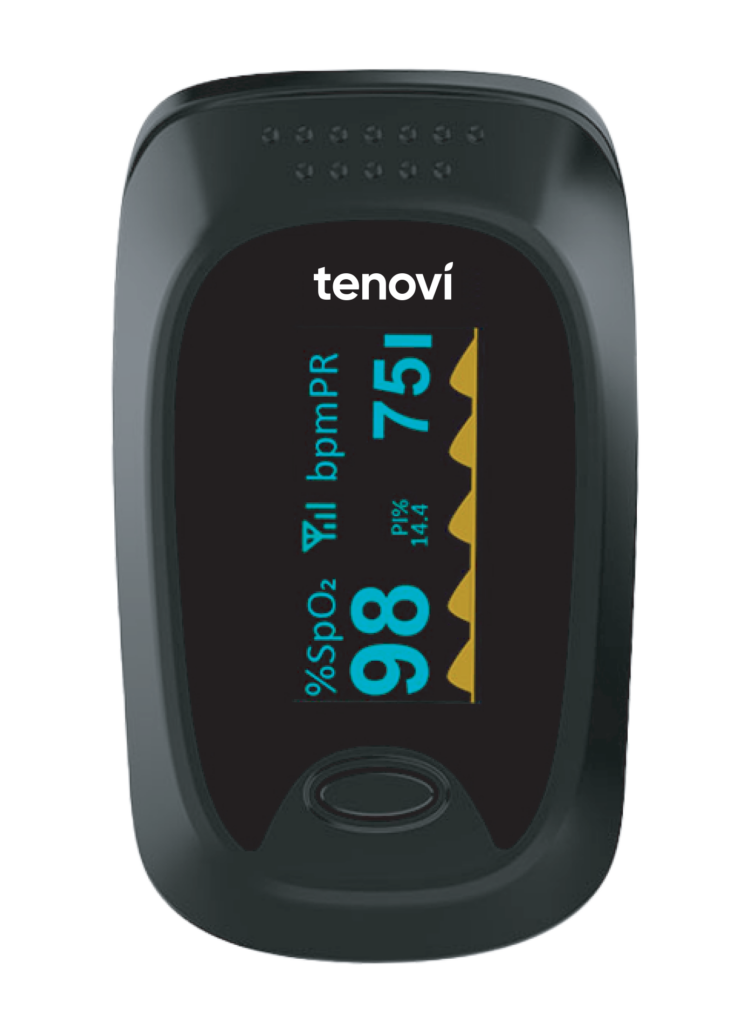
Tenovi Cellular Pulse Oximeter
Need help with your Tenovi Cellular Pulse Oximeter (POx)? Find everything you need to know from set up to measurement best practices and troubleshooting. We’ve got you covered.
Jump To SectionTop Tips for Successful Measurement
Accurate Readings
Ensure your hands are clean before using the device. Any type of dirt, obstruction, or physical interference can block the sensor and may cause inaccurate readings.

Proper Usage
Insert your finger all the way into the device. Relax your finger, allowing the device to fully enclose your finger. Click the button on the top of the device and wait for the device to say “Sending” before removing your finger. Following these steps will ensure the device can correctly measure and send your data.

How It Works

Setup & Use Steps
Remove Pull Tab
Remove Pull Tab from the battery compartment before using the device.

Insert Finger Into Pulse Ox
Insert one finger completely into the measurement section of the oximeter with your fingernail pointing up toward the screen.

Power On Pulse Ox
Press the power button on the oximeter to turn on the device and begin a measurement.
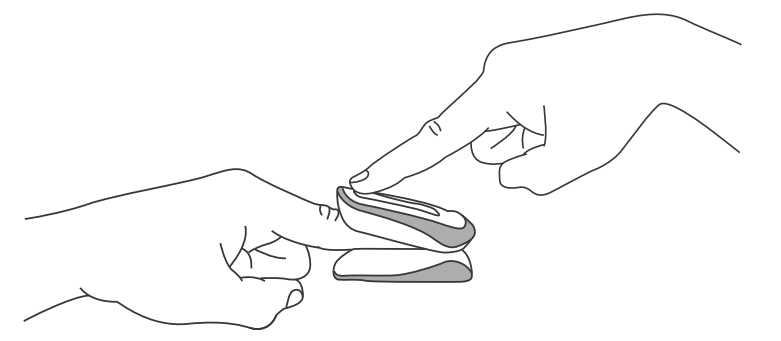
Keep Finger Inserted
Keep your finger in the oximeter until you see “Sending” on the screen. Then you may remove your finger.

Measurement Taken
“Success” will display when the reading has been transmitted. When “FAILED” is shown, the reading will be saved and the device will try to send it again on your next measurement. To take multiple measurements, wait for the screen to turn off then repeat steps 2-4.

When Taking a Measurement
Before You Measure
- This pulse oximeter is not intended for continuous monitoring.
- The device should be placed on the finger with the power off and then powered once in the proper position.
- Leave the device on and running for 15-30 seconds. This is long enough to get a stable, consistent reading.
- Remove device from finger and it will power down automatically and send the measurements to the Gateway.
Taking Your Measurement
- Must keep finger inserted in device until “Sending” is displayed.
- In order to take multiple measurements, you will need to let the device turn off.
- To avoid affecting its performance DO NOT place the oximeter in direct sunlight, high temperature, humidity, dust, cotton wool or near water. If the oximeter gets wet, please stop using it.
- When the oximeter is carried from cold environment to warm or humid environment, please wait 4 hours before using.
Best Practices
Positioning & Accuracy
- It is good practice to position the hand and arm horizontal with the ground.
- Be sure to insert finger fully into the device. The finger tip should be pressed in to the end of the clip, with the silver dot and red light centered on the fingertip.
- Long fingernails can interfere with proper finger placement.
- Nail polish, paint or gloss could interfere with the device’s sensor, so it is recommended to remove this to ensure an accurate measurement.
- Measurement accuracy may be influenced by fingers that are too cold, too thin, or if fingernails are too long. You can use a larger finger such as your thumb or middle finger.
Error Codes
Failed

The device failed to transmit the measurement.
Please move closer to a window or somewhere you receive good cellular service and try again.
Device Specifics
Storage Events
- This device will store measurements until they are successfully transmitted via cellular signal.
Maintenance
- Remove the batteries from the battery slot and properly store them if you do not plan to use the oximeter for a long period of time.
- Store the oximeter between 14° and 122° and at humidity levels 10% to 93%. F
Periodically check the oximeter for damage. - Check the accuracy of the oxygen aturation and pulse rate readings by using the appropriate calibration apparatus.
- Avoid using the oximeter in and environment with inflammable gases or using it in an environment where the temperature or humidity is excessively high or low.
Device Reissue
- If this is a replacement device sent to an existing patient, make sure to update the IMEI on the Tenovi Web App.
- The only way to reset the Tenovi Cellular Pulse Oximeter is to remove the batteries, then reinstall the batteries.
Downloads
Sources
- National Institutes of Health. (2023). Getting an accurate read on pulse oximeters. MedlinePlus Magazine:
https://magazine.medlineplus.gov/article/getting-an-accurate-read-on-pulse-oximeters