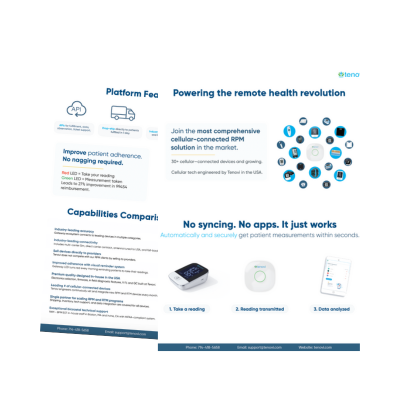

The best RPM devices for CPT code 99454 make it easy for patients to share accurate readings every day. In a remote patient monitoring (RPM) program, the device is the patient’s daily connection to their care team. When readings arrive consistently, clinicians see a clearer picture of each patient’s health between visits.
CPT code 99454 covers the device and the daily transmission of physiologic data. This guide explains the 2026 requirements for CPT 99454. It also covers what to look for in a device and compares devices for common chronic conditions.
CPT Code 99454 Requirements in 2026
CPT 99454 describes device supply with daily recordings or programmed alert transmissions. The CY 2026 Medicare Physician Fee Schedule final rule sets its threshold. It applies when a patient transmits data on 16 to 30 days in a 30-day period.
The 2026 rule also added CPT 99445. This code covers the same device supply when a patient transmits data on 2 to 15 days. The two codes are mutually exclusive, so only one applies in a given 30-day period.
This change matters for patients. Some patients need shorter monitoring periods, such as those recovering after a hospital stay. Others have months when daily readings are harder to keep up. Care teams can now support these patients without an all-or-nothing threshold.
The CMS Telehealth and Remote Monitoring MLN booklet lists the core Medicare requirements for remote monitoring:
- The patient must have an established relationship with the billing practitioner.
- Monitoring must address an acute or chronic condition and be medically reasonable and necessary.
- The patient must consent to RPM services.
- The device must meet the FDA definition of a medical device.
- Data must be collected electronically and uploaded automatically to a secure location.
- Only one practitioner can bill remote monitoring for a patient in a 30-day period.
Readings a patient writes down or reports by phone do not meet the automatic upload requirement. This is why connected devices are central to CPT 99454.
| CPT Code | What It Describes | Data Threshold |
|---|---|---|
| 99453 | Initial device setup and patient education | Once per episode of care |
| 99445 | Device supply with data transmission | 2 to 15 days in 30 days |
| 99454 | Device supply with data transmission | 16 to 30 days in 30 days |
Device supply is reported once per patient per 30-day period, even when a patient uses more than one device. Initial setup and education are reported separately with CPT code 99453.
Why Consistent Readings Matter for Patients
Daily readings help care teams spot changes early. A rising blood pressure trend or a sudden weight gain can prompt a timely call. So can a run of high glucose values. That call might lead to a medication change, a care plan update, or a same-week visit.
Research shows how device design and care support work together. A 2025 study in The American Journal of Managed Care followed Medicare patients with stage 2 hypertension for 12 months. Every patient used a cellular blood pressure monitor that sent readings directly to the care team. Nurse care coaches also called each patient monthly.
Among the 652 patients with stage 2 hypertension, the average age was 74. Average blood pressure fell from 152/85 mm Hg to 132/74 mm Hg by month 12. Patients averaged 16 readings in the first month and 25 readings per 30 days in later months. The authors noted limits, including no control group and a 47% one-year retention rate.
Age does not have to be a barrier to consistent use. One study looked at federally qualified health center patients using RPM for self-measured blood pressure. Older patients in the study took readings on more days than younger patients.
Readings alone do not change outcomes. They give care teams the information they need during treatment management, reported with CPT 99457.
What to Look for in an RPM Device
The best RPM devices share a few practical traits. Care teams can use this checklist when comparing options:
- The right FDA status. Medicare requires a device that meets the FDA definition of a medical device. Many programs prefer FDA-cleared devices where clearance applies, such as blood pressure monitors and glucose meters.
- Validated accuracy. For blood pressure, look for devices on the US Blood Pressure Validated Device Listing. The American Medical Association supports this listing.
- Correct cuff sizes. An ill-fitting cuff can skew readings. In one NACHC health center project, half of patients with hypertension needed an extra-large cuff.
- Automatic transmission. Readings should send on their own, with no app, smartphone, or Wi-Fi setup for the patient.
- Simple daily steps. One-button operation, large displays, and familiar routines help patients build a habit.
- Clinical integration. Data should flow into the RPM platform or EHR the care team already uses.
The Best RPM Devices for CPT Code 99454
Tenovi offers two device suites. Standalone cellular devices have their own built-in connection. Bluetooth devices connect through the Tenovi Cellular Gateway. Both send readings automatically without a smartphone.
1. Tenovi Cellular Blood Pressure Monitor
Best for hypertension and cardiovascular monitoring
Blood pressure is one of the most common uses of RPM. The Tenovi Cellular Blood Pressure Monitor is FDA-cleared and works right out of the box.
- One-button use: Patients put on the cuff and press one button. The monitor inflates and takes the reading automatically.
- Built-in cellular connection: Each reading sends to the care team with no app or Wi-Fi required.
- Clear display: A large screen shows systolic pressure, diastolic pressure, and pulse.
- Validated accuracy: Several Tenovi Blood Pressure Monitor models meet the Validated Device Listing criteria for clinical accuracy.
2. Tenovi Cellular Scale
Best for heart failure and weight management
Daily weight is a key signal for patients with heart failure. The American Heart Association’s heart failure self-check plan flags sudden weight gain. That means more than 2 to 3 pounds in 24 hours, or 5 pounds in a week. A gain like this can signal fluid buildup.
- Step-on activation: Patients step on the scale, and the reading sends automatically.
- No logbook needed: Care teams see each weight with a date and time.
- Familiar routine: Many patients already weigh themselves each morning, which makes the habit easier to keep.
The Tenovi Cellular Scale is FDA-listed, which is the standard pathway for this type of scale.
3. Tenovi Cellular Blood Glucose Meter
Best for diabetes management
Patients managing diabetes often test several times a day. Handwritten logs can miss readings or record them incorrectly. The Tenovi Cellular Blood Glucose Meter is FDA-cleared and sends each reading automatically.
- No sync, no app: Readings transmit as soon as the test is complete.
- Fast results: The meter delivers results in about five seconds on a large display.
- Reliable records: System-generated timestamps give care teams an accurate history for each patient.
4. Tenovi Cellular Pulse Oximeter
Best for COPD and other respiratory conditions
Oxygen saturation and pulse rate help care teams monitor patients with COPD and other respiratory conditions. The Tenovi Cellular Pulse Oximeter is FDA-cleared and sends readings over its built-in cellular connection. Patients place it on a fingertip, and the reading transmits automatically.
5. Tenovi Cellular Gateway With Bluetooth Devices
Best for patients who use several devices
Many patients live with more than one condition. The Tenovi Cellular Gateway lets several Bluetooth devices share one cellular connection. Patients plug in the Gateway, and readings from paired devices send automatically. The Gateway supports blood pressure monitors, scales, glucose meters, pulse oximeters, and peak flow meters.
Comparing RPM Devices at a Glance
| Device | Common Conditions | Connection | FDA Status | Patient Steps |
|---|---|---|---|---|
| Tenovi Cellular Blood Pressure Monitor | Hypertension, heart disease | Built-in cellular | FDA-cleared | Put on cuff, press one button |
| Tenovi Cellular Scale | Heart failure, weight management | Built-in cellular | FDA-listed | Step on the scale |
| Tenovi Cellular Blood Glucose Meter | Diabetes | Built-in cellular | FDA-cleared | Standard fingerstick test |
| Tenovi Cellular Pulse Oximeter | COPD, respiratory conditions | Built-in cellular | FDA-cleared | Place on fingertip |
| Tenovi Cellular Gateway | Multiple conditions | Cellular hub for Bluetooth devices | Varies by device | Plug in once; devices sync on their own |
This material is provided for general informational and educational purposes only and does not constitute legal, compliance, billing, coding, or reimbursement advice. CPT® codes, descriptions, and Medicare payment rates referenced here are drawn from publicly available sources, are subject to change, and may vary by payer, locality, and patient circumstances. Tenovi makes no representation or guarantee regarding coverage, payment, or the appropriateness of any code for a particular patient or service, and any presented are illustrative only. Providers are solely responsible for independently determining medical necessity and applicable coding, coverage, documentation, and billing requirements and for submitting accurate claims. Consult applicable payer guidance and qualified billing, coding, compliance, or legal professionals before making billing decisions. CPT® is a registered trademark of the American Medical Association.
Cellular or Bluetooth: Choosing the Right Connection
Both connection types send readings automatically. The right choice depends on the patient and the program.
Standalone cellular devices work well when a patient needs one device. Setup is simple, since the device connects on its own. They also suit patients who move between homes or travel often.
The Tenovi Cellular Gateway works well when a patient needs two or more devices. One hub manages the connection for every paired device. This keeps the patient’s routine simple as their care plan grows.
Supporting Patients Through the Month
The best RPM devices work best with a strong care routine around them. These steps help patients stay engaged:
- Start with clear education. Show patients how to use each device and why daily readings matter.
- Confirm proper fit. Check cuff size and device placement during onboarding.
- Set a daily routine. Pair readings with an existing habit, such as morning coffee.
- Follow up early. Reach patients in the first weeks, when habits are still forming.
- Invite caregivers. Family members can help with reminders and setup.
- Respond to readings. Patients stay engaged when they see their care team act on their data.
What the CY 2027 Proposed Rule Could Change
On July 14, 2026, CMS released the CY 2027 Physician Fee Schedule proposed rule. It includes proposals that would affect RPM device codes. None of these changes are final.
CMS proposed to require a separately reportable initiating visit before RPM begins. It also proposed paying for RPM only when clinical staff are direct employees of the billing practice. CMS proposed changes to how device supply codes are valued as well. It asked for comments on replacing the current RPM codes with four HCPCS codes for Medicare.
The comment period closed on September 14, 2026. CMS typically releases the final rule in early November. If finalized, the changes would take effect January 1, 2027. These proposals apply to Medicare only. Tenovi will update this guide when the final rule is published.
Frequently Asked Questions About CPT Code 99454
1) What does CPT code 99454 cover?
CPT 99454 covers the supply of an RPM device and the daily recording or transmission of physiologic data. It applies when a patient transmits data on 16 to 30 days in a 30-day period.
2) How many days of readings are required for CPT 99454?
At least 16 days of transmitted data in a 30-day period. Readings must upload automatically from a device that meets the FDA definition of a medical device.
3) What if a patient transmits readings on fewer than 16 days?
Beginning in 2026, CPT 99445 applies when a patient transmits data on 2 to 15 days in a 30-day period. CPT 99445 and CPT 99454 are not reported together for the same period.
4) Can CPT 99454 be reported for more than one device?
No. Device supply is reported once per patient per 30-day period, even when the patient uses several devices.
5) Does an RPM device need to be FDA-cleared for CPT 99454?
Medicare requires a device that meets the FDA definition of a medical device. It does not require clearance specifically. Many programs still choose FDA-cleared devices where clearance applies.
6) Are continuous glucose monitors reported under CPT 99454?
No. Continuous glucose monitoring has its own CPT codes, including 95249, 95250, and 95251, according to the American College of Physicians. Connected fingerstick glucose meters are commonly used under the RPM code set.
Understanding the Best RPM Devices for CPT Code 99454
The best RPM devices for CPT code 99454 are accurate, simple to use, and send readings automatically. CPT 99454 applies when a patient transmits data on 16 to 30 days in a 30-day period. In 2026, CPT 99445 covers 2 to 15 days, giving care teams more flexibility for each patient. Devices should meet the FDA definition of a medical device and upload data without patient entry. Validated accuracy, correct cuff sizes, and easy daily steps help patients share reliable data. Cellular devices and the Tenovi Cellular Gateway both give care teams a steady view of patient health between visits. That view supports proactive, preventive care that helps patients stay healthier at home.
Tenovi provides cellular and Bluetooth remote monitoring devices, the Tenovi Cellular Gateway, and device fulfillment. We work exclusively with companies that deliver remote care to patients. Our partners include RPM and RTM companies, chronic care management companies, and telehealth platforms. We also serve health systems and payers. Contact us today for a free demo and consultation.