This quarter, care teams asked us how to talk to patients about remote patient monitoring (RPM). They also asked how to help patients understand why it is part of their care. HHS’s best-practice guide on preparing patients for RPM says it is important that patients understand what remote patient monitoring expects of them. By the time the patient is having a conversation with a care team member, the hope is that they understand what RPM is. If they do not fully understand, this guide offers practical language for remote patient monitoring enrollment, answers to common patient questions, and ways to keep the conversation going.
How to Talk to Patients About Remote Patient Monitoring: The First Meeting
Knowing how to talk to patients about remote patient monitoring is important because the patient does the daily work. A physician can order the device. The patient decides whether to use it.
That first conversation a patient has about RPM is also a formal part of care. Practitioners must get patient consent before providing or billing remote patient monitoring services. According to the CMS MLN booklet, auxiliary staff working under general supervision may obtain it. Consent carries more weight when the patient actually understands what they are agreeing to, which is why the conversation before the signature is essential.
Our post on RPM onboarding covers the operational side of enrollment. Here we focus on the words care teams use with patients, drawing on best-practice guidance from HHS and the Agency for Healthcare Research and Quality (AHRQ).
What Are Your Patient’s Own Health Goals?
Begin with the person in front of you. AHRQ’s SHARE Approach to shared decision-making asks clinicians to learn what matters most to each patient, and that is a natural place to start. Before the device comes out, ask what they hope their health will let them do over the next year.
One patient may want to avoid another hospital stay. Another may want to keep working in the garden or travel to see family.
Once you know the goal, tie RPM to it. For a patient who wants to stay out of the hospital, explain that daily readings let the care team see changes between visits and respond sooner. For a patient managing blood pressure, home readings add information the care team can’t get from one reading in the exam room.
A few questions to open the conversation:
- “What would you like to be doing a year from now that feels hard today?”
- “What worries you most about your blood pressure?”
- “How are things going for you between visits?”
Now RPM is tied to a purpose the patient chose.
Explain RPM in Plain Language
Many patients may not know the term remote patient monitoring, and RPM is industry shorthand. It is helpful to leave the acronym out of the conversation, along with clinical words like “physiologic” or “thresholds.”
Starting with a short explanation may help. “You’ll check your blood pressure at home each morning. The reading comes to us automatically. If something looks off, someone from our team will give you a call.”
The patient’s questions can guide the rest. Then confirm they followed. AHRQ recommends the teach-back method, where the patient explains new information back in their own words. Put the responsibility on yourself when you ask. “I want to be sure I explained that clearly, so can you walk me through what you’ll do tomorrow morning?” If something got lost, try a different explanation and ask again.
Show the Device Before Explaining the Data
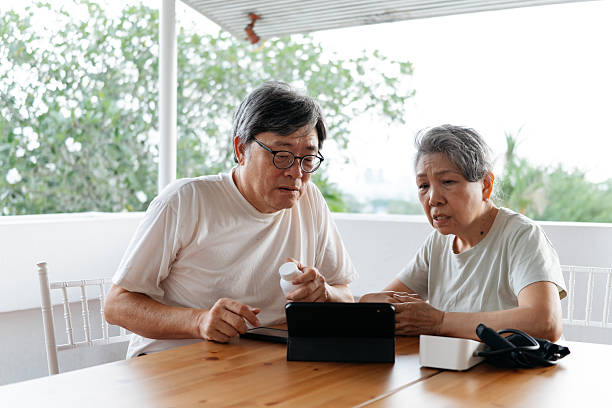
If time allows, have them take a practice reading in the office while you are there to help. The HHS guide recommends walking them through the device, explaining how their data is sent, and giving them written instructions to keep at home. Keep the setup explanation itself brief.
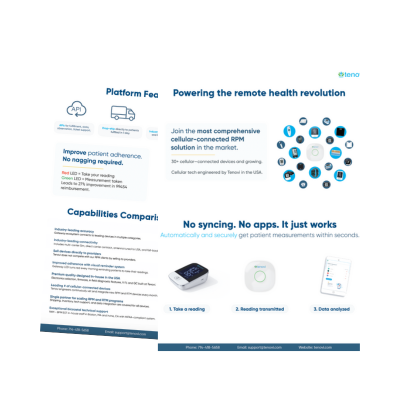
Tenovi cellular devices send readings without Wi-Fi, a smartphone, or an app, and Bluetooth devices connect through the Tenovi Gateway, which plugs into a standard outlet. For patients who are uneasy with technology, that detail is worth saying out loud. HHS also suggests asking patients to write down questions and call the office or use the patient portal. Before the patient leaves, add a note about who to call if the device stops working.
Frequently Asked Questions During Enrollment
Patients may raise a few practical questions during remote patient monitoring enrollment. You will want to have clear, easy-to-understand answers ready.
What Is the Cost?
HHS notes that patients often want to understand what RPM will cost them, so answer honestly and specifically. Under Medicare, RPM consent includes acknowledging possible cost sharing, such as coinsurance or a deductible. Checking coverage before the visit lets you give the patient a real number, and some patients have supplemental plans that change the picture.
Who Will See My Readings?
Tell them plainly. Their readings go to their care team and to the staff who help run the program. Their information is protected under HIPAA, just like the rest of their medical record.
How Much Time Will This Take?
Most home readings take a few minutes. Suggest a set time each day, such as when the patient makes coffee or takes a morning medication, so the reading becomes part of a routine they already have.
What Happens If I Forget?
Tell patients what your program does when readings are missed. If someone will call after a few days without readings, say so up front, and describe that call as a check-in.
Connect Readings to Practical Care Decisions
The same HHS guide recommends that staff let patients know when their first readings arrive and explain how patients can review their own data. That feedback should continue well past the first week. Tell patients when their readings changed something. “Your blood pressure ran higher in the mornings, so your physician moved your medication to the evening.” A sentence like that shows the patient how their readings are being used.
It also helps to explain what a normal reading looks like for that particular patient, and which numbers should prompt a phone call. Our roundup of RPM evidence shows how engagement like this connects to outcomes across chronic conditions.
Keep the Conversation Going After Enrollment
Enrollment opens the conversation, and it shouldn’t be the only one.
HHS recommends a follow-up appointment after the patient has used the device for several days. That is a good time to answer setup questions and confirm readings are coming through. A simple “we’re getting your readings, and they look steady” lets the patient know someone is paying attention.
At regular visits, pull up the patient’s trends and look at them together. Ask what has been easy and what hasn’t. Over time, some patients may benefit from an added device or from related services like remote therapeutic monitoring. Regular check-ins give you a natural place to raise those options.
Some patients make health decisions with a spouse or an adult child. If the patient would like that person involved, invite them in. A family member who understands RPM can help with reminders and with the device itself.
Frequently Asked Questions
1) What should I say first when introducing RPM to a patient?
Ask about the patient’s health goals before mentioning the device. Once you know what they want to do over the next year, explain how daily readings at home help the care team support that goal.
2) How do I explain remote patient monitoring in simple terms?
Keep it to a few plain sentences. The patient takes a reading at home each day, the reading reaches the care team automatically, and someone calls if a number looks concerning. Skip acronyms, and use teach-back to confirm the patient understood.
3) Do patients have to consent to RPM?
Yes. CMS requires consent before RPM services are provided or billed, and it should be documented in the medical record. Medicare consent includes acknowledging possible cost sharing. Other payers may have different requirements, so check coverage first.
4) How do I help a patient who is nervous about technology?
Have them take a practice reading in the office. Explain that Tenovi devices send readings without Wi-Fi, a smartphone, or an app, and give them a support number in writing before they go home.
5) What is the difference between RPM and RTM?
RPM tracks physiologic data such as blood pressure, weight, blood glucose, and oxygen saturation. Remote therapeutic monitoring (RTM) tracks therapy-related data, including medication adherence, respiratory status, and musculoskeletal function. Some patients benefit from both. Our RPM vs. RTM guide explains how the two compare and when they work together.
6) How can care teams keep patients engaged after enrollment?
Schedule a follow-up after the first several days to answer setup questions. When a reading leads to a change in care, tell the patient, and review trends together at regular visits so they can see how their effort shapes their treatment.
Understanding How to Talk to Patients About Remote Patient Monitoring
Learning how to talk to patients about remote patient monitoring starts with listening. When the conversation begins with the patient’s own goals, RPM becomes part of their plan rather than a request from the clinic. Plain language, a hands-on device walkthrough, and honest answers about cost and privacy follow guidance from HHS and AHRQ. Follow-up calls and regular reviews of the data keep patients informed about how their readings shape their care.
Tenovi provides cellular-connected RPM and RTM devices, the Tenovi Gateway, and direct-to-patient fulfillment, along with HIPAA-compliant technical support for patients and care teams. Contact us for a free demo and consultation.