Remote patient monitoring solutions have moved from a pandemic-era experiment to a core part of connected care. Many health systems now run a remote patient monitoring (RPM) program as a standard tool for chronic disease management. The growth has been steep: RPM claim volume rose about 1,294% from January 2019 to November 2022, according to Definitive Healthcare.
The question has changed since those early years. Providers no longer ask “why RPM?” They ask “how do we implement and scale it well?” This article offers 7 practical strategies to grow physician participation and patient engagement in remote patient monitoring solutions.
Why Remote Patient Monitoring Solutions Matter
Remote patient monitoring solutions exist to keep patients healthier between visits. The CDC reports that 6 in 10 U.S. adults live with a chronic disease. Home data helps care teams act early, before a small change turns into a hospital stay.
The outcome data is strong. One remote monitoring program cut 30-day heart failure readmissions by 50 percent. A 2025 Health Affairs study also found practices that adopted remote physiologic monitoring increased Medicare revenue and outpatient visits. Better care and healthier patients come first, and lower costs follow.
Patients value the flexibility too. They track and report vital signs from home, which reduces travel and unnecessary appointments. That convenience is a major reason engagement stays high once a program is set up well.
Adoption is now broad across specialties. Definitive Healthcare found internal medicine physicians led RPM use, followed by cardiology and family practice. This spread shows remote patient monitoring solutions fit many care settings, not just one. For most organizations, the risk is no longer trying RPM. The risk is scaling it poorly and losing patient trust.
7 Strategies to Drive Adoption of Remote Patient Monitoring Solutions
Physicians sometimes hesitate to adopt remote patient monitoring solutions. Common worries include added workload, data overload, and security. The strategies below address those concerns and make the transition smoother for every team.
1) Educate Physicians on the Benefits
Adoption starts with clear education. Show physicians how remote patient monitoring solutions improve outcomes and reduce avoidable costs. Use several formats so learning fits busy schedules.
- Webinars and short online sessions physicians can watch on their own time.
- Real-world case studies that show measurable outcome and cost improvements.
- Continuing medical education (CME) modules that keep teams current on RPM.
2) Provide Hands-On Training
Unfamiliar technology slows adoption. Practical training builds confidence and removes guesswork. Two approaches work especially well together.
In-person or live demos let physicians see the workflow and ask questions directly. Peer-to-peer education is also powerful. When a physician who already uses RPM shares results, colleagues listen. You can book a free demo with a vendor to walk your team through the tools.
3) Offer Support for Data Analysis
Data should not overwhelm your staff. New readings can cause burnout if no one is assigned to review them. Trained clinical support solves this problem.
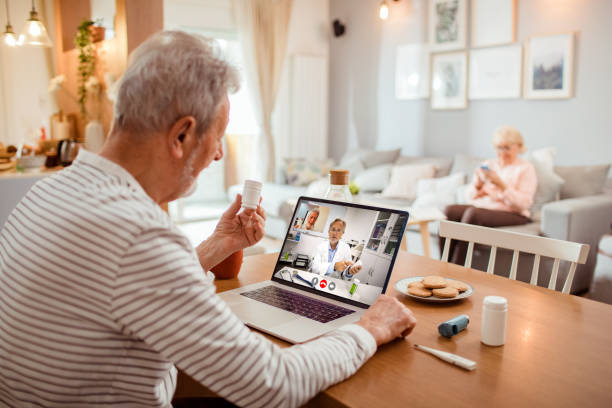
Many teams outsource RPM services to vendors with registered nurses and experienced staff. Physicians then focus on care, and they are contacted only when readings need medical judgment. This keeps the workflow light while still supporting a healthy program budget.
Alerts also help teams manage volume. Set thresholds so the system flags only out-of-range readings. Staff can then triage by priority instead of reviewing every data point. Clear escalation rules make sure urgent readings reach the right clinician quickly.
4) Build Vendor Partnerships
A strong partner makes remote patient monitoring solutions easier to launch. Research and select a reputable remote patient monitoring vendor that customizes programs to your patients. Ask colleagues and professional associations for references.
A good vendor delivers several benefits at once:
- Handles device logistics so your team focuses on patients.
- Guides device and software selection for each condition.
- Lowers the cost of equipment, maintenance, and staffing.
- Provides real-time monitoring and data analysis support.
- Scales the program without a major new investment.
5) Choose User-Friendly Technology
Technology should reduce work, not add it. Devices must be simple for patients of any age or comfort level. Look for tools with minimal steps and clear instructions.
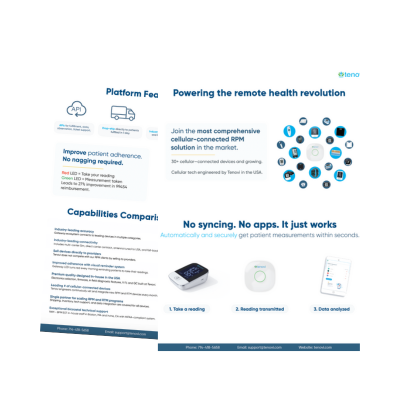
With Tenovi, patients receive pre-paired Bluetooth devices that connect automatically to the Tenovi Gateway. The Gateway is a cellular hub, so patients do not need Wi-Fi or an app. Each morning the Gateway glows red as a reminder to take readings, then turns green once data is sent. One Gateway supports many devices, which means a single cellular charge and more than 40 device options.
Security matters as much as ease of use. Physicians often cite data protection as a barrier to adoption. Choose a vendor with HIPAA-compliant systems and clear data handling practices. Strong security protects patients and removes a common objection from your team.
6) Engage Patients in Their Care
Patient involvement drives results. RPM works best in chronic conditions like diabetes, heart disease, and COPD. Engaged patients take readings consistently and follow their care plans.
Ask for patient feedback and act on it. Simple reminders, clear instructions, and responsive support all improve adherence. Higher adherence leads to steadier data and better clinical decisions.
Set expectations early so patients know what to do. Explain why daily readings matter and who will review them. When patients understand the goal, they stay involved and report fewer problems.
7) Embed RPM Into the Care Model
Remote patient monitoring solutions deliver the most value when they are part of routine care. Under value-based care, RPM helps close care gaps and reduce readmissions. Early detection lets physicians adjust treatment before a patient needs the emergency room.
Payers increasingly recognize this value. Private insurance coverage still varies, but it continues to grow as outcomes data builds. Embedding RPM into standard workflows positions your organization for that shift.
Integration with the electronic health record (EHR) helps here. When readings appear alongside the rest of the chart, physicians see the full picture. That context supports better decisions and makes RPM feel like part of routine care rather than a separate task.
How to Measure Program Success
Adoption is only the start. Track a few clear metrics to prove value and guide growth. Consistent measurement also helps you defend the program’s budget.
Watch four numbers in the first 90 days. Track enrollment to see how many eligible patients join. Track adherence to confirm patients take readings often enough to bill and to inform care. Track clinical results, such as blood pressure or weight trends, to show impact. Track avoidable events, like readmissions and emergency visits, to capture cost savings.
Review these numbers with your care team each month. Share wins with physicians to build support and momentum. When one condition performs well, use those results to expand into the next patient group.
Frequently Asked Questions About Remote Patient Monitoring Solutions
The following section provides questions and answers to frequently asked questions regarding remote patient monitoring solutions.
1) What are remote patient monitoring solutions?
Remote patient monitoring solutions are connected devices and software that track patient vitals at home. Readings flow to the care team so they can act between visits. Common measures include blood pressure, weight, blood glucose, and oxygen saturation.
2) Do remote patient monitoring solutions reduce costs?
They can, mainly by preventing avoidable hospital use. One program cut 30-day heart failure readmissions in half. Lower costs follow from earlier intervention and healthier patients, not from more billing.
3) How do physicians adopt RPM without adding workload?
Most teams outsource data review to a vendor’s clinical staff. Physicians are contacted only when readings need their judgment. This keeps existing workflows intact while the program runs.
4) Which conditions benefit most from RPM?
Chronic conditions see the clearest gains. Hypertension, heart failure, diabetes, and COPD are common starting points. These conditions produce simple, trackable readings and respond well to early action.
5) Does Medicare reimburse remote patient monitoring solutions?
Yes. Medicare pays for RPM through CPT codes 99453, 99454, 99457, and 99458. New 2026 codes add shorter monitoring and management options. See our RPM CPT codes for 2026 guide for current details. Be sure to keep updated on RPM policies and procedures.
Understanding Remote Patient Monitoring Solutions
Remote patient monitoring solutions are now a standard part of connected, value-based care. Adoption has grown quickly, and the focus has shifted from whether to use RPM to how to scale it. The 7 strategies above address the real barriers: education, training, data support, strong partnerships, easy technology, patient engagement, and full integration. Programs that follow them tend to see better adherence, fewer readmissions, and steadier revenue to sustain the work. A capable remote patient monitoring program turns home readings into earlier, better care decisions.
Tenovi builds remote patient monitoring solutions designed for real workflows and real patients. Our cellular Tenovi Gateway, wide device range, and in-house support remove the barriers that stall most programs. We handle fulfillment and technical support so your team can focus on care. Ready to see how simple connected care can be? Contact us for a free demo and consultation.