
Remote patient monitoring (RPM) software companies don’t all offer the same level or quality of service, and choosing the right one can be harder than it looks. This guide is built to help you cut through the noise. We explain what RPM software does, the features and benefits that matter most, how providers differ, and how to evaluate the companies competing for your business.
The stakes are higher than they were even a year ago. The global remote patient monitoring market is projected to grow from roughly $48.5 billion in 2025 to $137.3 billion by 2033, and the device segment alone was estimated at about $26.2 billion in 2025. With that much growth, new vendors are entering constantly. Knowing what separates a strong RPM partner from a weak one protects your program, your patients, and your revenue.
Key questions we’ll answer:
- What is remote patient monitoring software, and how does it work?
- What are the essential features and benefits of RPM software?
- How do remote patient monitoring software companies differ?
- What factors should you consider when selecting an RPM software provider?
- How do you choose the company that fits your program?
What Are Remote Patient Monitoring Software Companies?
Remote patient monitoring software is an application that lets healthcare providers collect, store, analyze, and share data from their patients’ RPM devices remotely. Those devices include blood pressure monitors, blood glucose meters, pulse oximeters, peak flow meters, thermometers, digital scales, and more.
Here’s the basic flow. RPM software connects a patient’s devices to a secure, cloud-based platform over wireless or cellular networks. The platform handles data aggregation, processes the readings, and routes them to the provider’s dashboard or electronic health record (EHR) system. Care teams can then review that data anytime, from a computer or mobile device.
Many RPM software companies layer on alerts and reminders for patients and caregivers. The best platforms also integrate with adjacent systems such as telehealth, chronic care management, care coordination, analytics, and billing, creating a more seamless care-delivery model for patients and providers alike.
What Are the Features and Benefits of RPM Software?
RPM software offers a range of features for patients and care teams. The standard ones include:
Device Compatibility
Strong RPM software supports a variety of devices from multiple manufacturers and RPM vendors — blood pressure monitors, glucose meters, pulse oximeters, weight scales, thermometers, and wearables like smartwatches for activity tracking.
Data Collection
Remote patient monitoring software companies may collect many data types from connected devices, including vital signs, symptoms, medication adherence, activity levels, and sleep quality. Some also capture patient-reported outcomes such as pain scores, mood ratings, and quality-of-life measures.
Data Analysis
The software can apply algorithms or artificial intelligence to detect trends, patterns, anomalies, or risks. It generates reports, charts, and dashboards that help qualified clinicians visualize the data, adjust treatment plans, and modify medications.
Data Sharing
The platform shares data securely and in real time with care teams and other authorized parties, and integrates with EHRs and other systems to support interoperability.
Alerts and Notifications
Most platforms send alerts when readings cross defined thresholds — for example, flagging blood pressure that is too high or too low, or a missed medication dose. They can also remind patients when it’s time to take a measurement or contact their provider.
Feedback and Education
The software can deliver patient feedback and education based on individual data and goals, from tips on managing blood pressure or glucose to materials on nutrition, exercise, and stress management.
The expected benefits of remote patient monitoring software include the following.
Improved Patient Outcomes
RPM supports earlier detection and intervention, fewer hospitalizations and readmissions, better medication adherence, and stronger chronic disease management. The evidence is increasingly concrete. In a retrospective cohort study of 6,595 patients, the share with uncontrolled hypertension fell from 66.3% to 40.2% after at least 90 days on RPM, and average systolic blood pressure improved by 7.3 mmHg overall — and by 16.7 mmHg for patients with stage 2 hypertension. A separate program combining remote blood pressure monitoring with pharmacist support helped up to 74% of patients with treatment-resistant hypertension get below 140/90 mmHg within a year.
Reduced Healthcare Costs and Increased Revenue
RPM can lower costs by reducing unnecessary visits and tests and cutting transportation expenses, while helping providers optimize workflow and capture more reimbursement. Medicare reimburses RPM through CPT codes 99453, 99454, 99457, and 99458, and beginning in 2026 CMS added new codes (99445 and 99470) that relax the long-standing 16-day data and 20-minute management requirements — giving practices more billing flexibility for shorter or lower-intensity monitoring.
Enhanced Patient Satisfaction and Engagement
RPM adds convenience and comfort, empowers patients to take a more active role in their health, strengthens communication and trust with providers, and can improve quality of life.
How Do Remote Patient Monitoring Software Companies Differ?
Remote patient monitoring software companies develop, market, sell, and support RPM solutions, and they vary widely in size, scope, focus, features, pricing, and service. The factors that most often set them apart include:
- Target market. Some companies focus on specific segments — primary care, cardiology, diabetes, oncology — while others serve a broad mix of specialties and conditions.
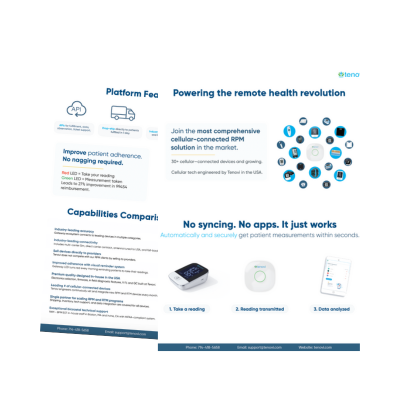
- Device integration. Some provide their own devices or partner with select manufacturers. Others offer device-agnostic platforms that work across brands. A vendor-neutral approach, like Tenovi’s, makes it easier to match the right device to each patient population.
- Software integration. Some sell standalone tools; others integrate with EHRs, telehealth, chronic care management, care coordination, analytics, and billing.
- Data security. Standards vary. Look for HIPAA compliance, encryption, and strong authentication rather than vague assurances.
- Customer support. Some companies offer 24/7 availability, dedicated account managers, and ongoing training. Others provide limited support that can stall a program.
What Factors Should You Consider When Selecting an RPM Software Provider?
Choosing a remote patient monitoring software company is a real decision with a lot of moving parts. These steps keep the process grounded:
- Define your needs and goals. What problems are you solving? Which features are must-haves? What’s your budget?
- Research your options. Use reviews, ratings, testimonials, case studies, demos, and free trials, and ask peers about the platforms they actually use.
- Compare and contrast. Build a simple matrix that scores each company against the criteria that matter to you, so the comparison is structured rather than gut-driven.
- Make a decision. Choose the option that best meets your goals — and factor in connectivity, device breadth, and support quality, not just price.
When you evaluate platforms, weigh device compatibility, data-analysis capabilities, integration with your existing systems, and the depth of customer support. The companies that stand out tend to win on a combination of these, not a single feature.
Tenovi Remote Patient Monitoring for RPM Software Companies
Whether your healthcare partners adopt remote patient monitoring to boost patient engagement, streamline workflow, or grow revenue, Tenovi helps you find the right device solution. Choose from a growing list of Tenovi and partner FDA-cleared RPM devices, backed by cellular connectivity that works out of the box and a team that supports you through launch and beyond. Book a free demo today.